Saturday, April 25, 2020

second hour of coding

For my second hour of coding I moved onto learning about variables.
variables are values that can change. I first watched a couple videos of how to use variables in code and I was off doing my first challenge using variables the challenge was to create a variable for the eyes of a bucktooth bunny so if i changed the value of the variable it would change the size of both the eyes together. heres the result of the first challenge
Next was another challenge where I had to make a variable for the location of frogs eyes. changing this variable would change both of the frogs eyes at the same time. heres what the challenge ended as
after I learned about variables I moved onto animations. animations were tied together with variables.
my first challenge using animations was to make a sunset with the sun increasing bigger and bigger into the screen. heres a screenshot of the code and the sun fully covering the screen after the animation took place.
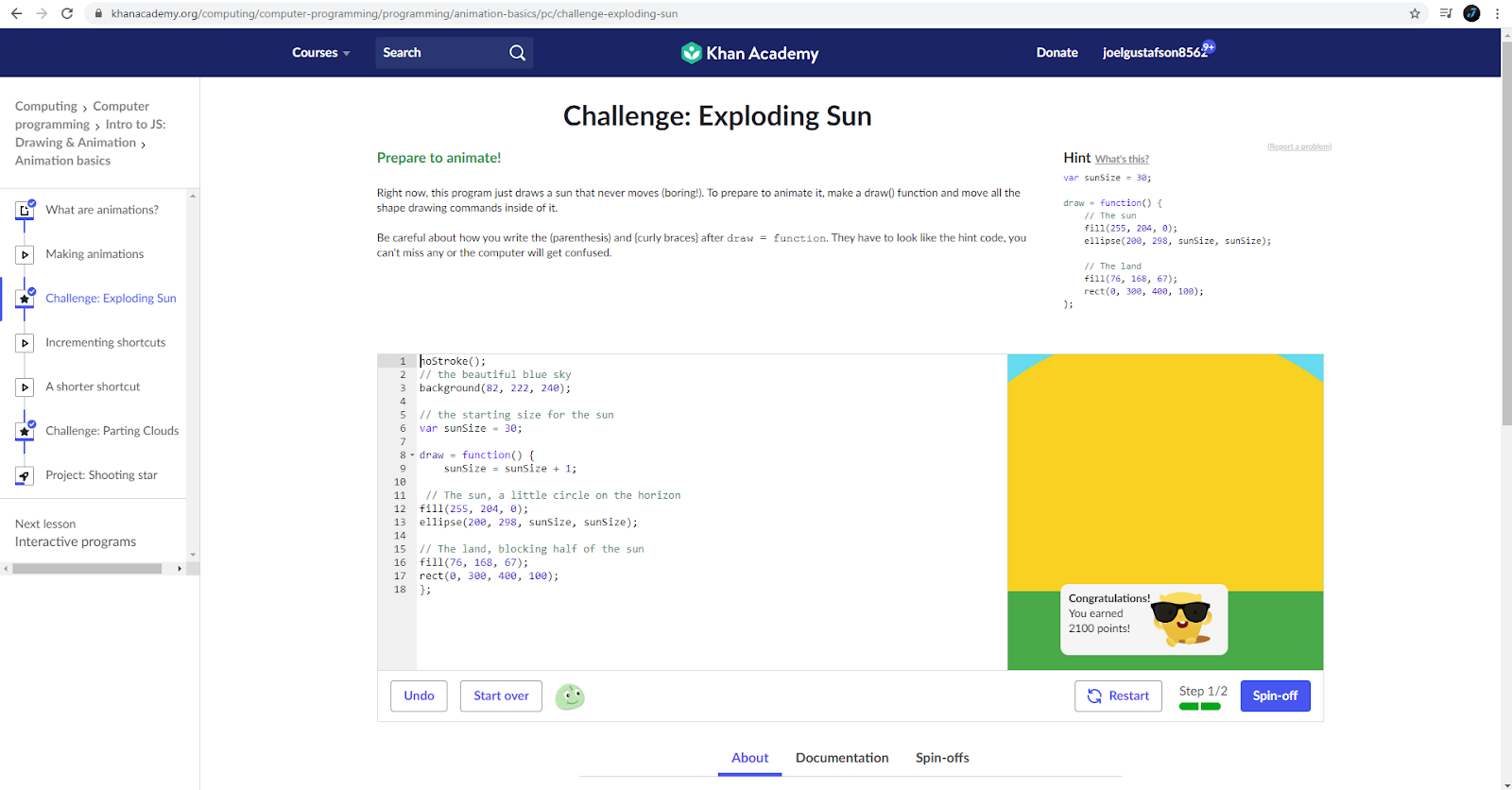
after I learnt how to make the sun get bigger and bigger it was now time to make clouds that moved away from the sun as the sun got bigger. heres the result of that challenge
and that was the main parts of the hour of coding. of course i had to watch videos and learn how to complete the challenges in between but that was it. 

main parts of the second hour
learning what what variables were and starting using them
Specific things i did
changed size and position of things using variables like "var xPos = 50;"
what i will do next hour
continue on computer programming, i think the next lesson is learning interactive programms.



Wednesday, April 22, 2020

First hour of coding

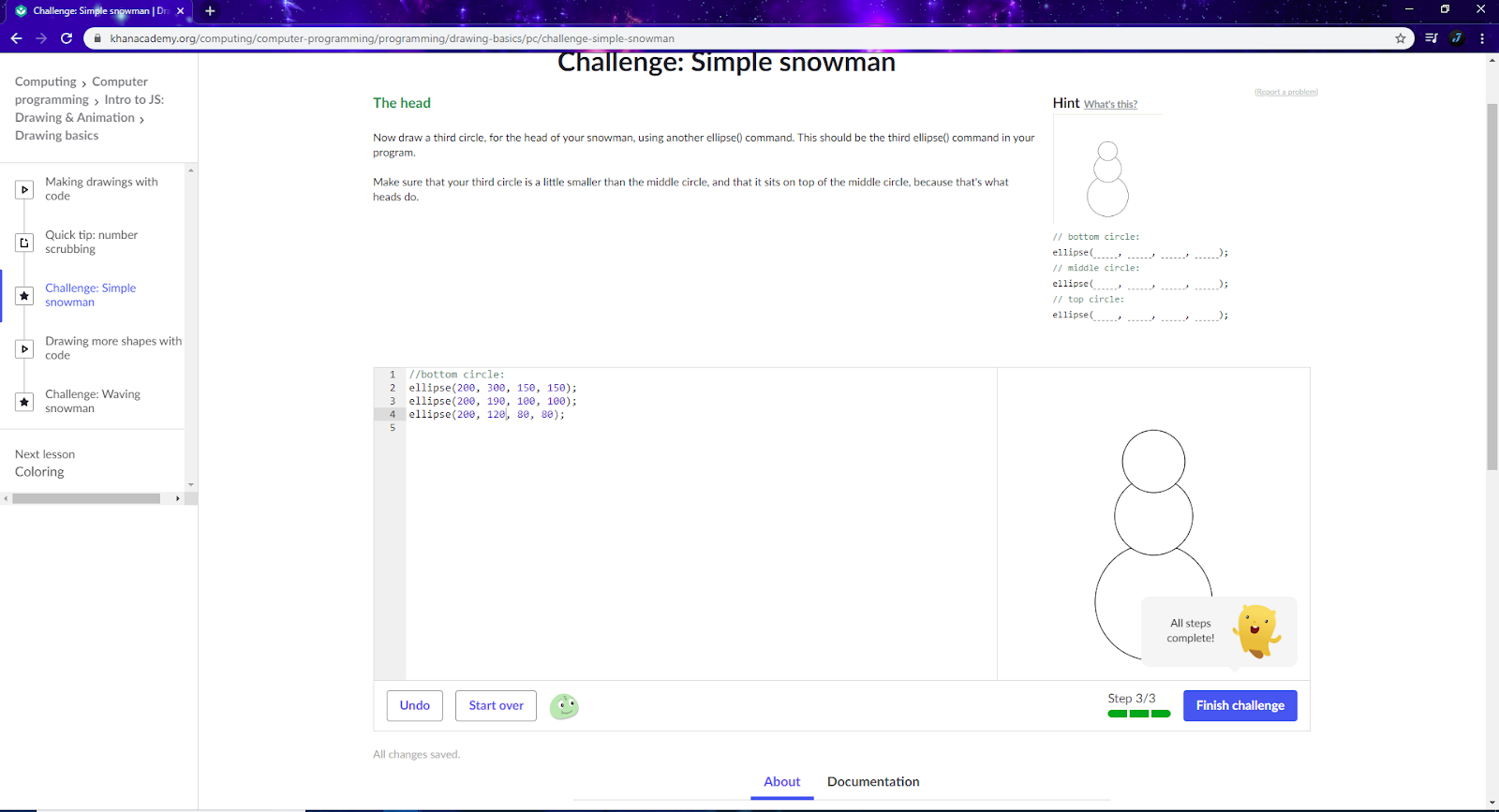
I chose to do khan academy for my 10 hour learning process of coding. in the first hour I chose to do computer programming. during this hour I started to learn how to create shapes. after watching a couple videos on how you should label your shapes using "//", and and learning how to create circles I went to my first challenge which was to draw a simple snowman. here's a shot of my first challenge complete!  
after completing that challenge I moved onto adding to that snowman using different shapes. next challenge was to give that snowman arms. here the result!
after learning how to give the snowman arms i had to watch a quick video on how to give your scene color using "fill(...,...,...)! after watching that video I moved onto my next project which was creating a sunny day for the snowman. I made the background blue, the sun yellow, and the ground green(which makes no sense for a snowman but anyway) heres what it turned out like).
once I proved I was able to create shapes, and add colour to those shapes I had a cool challenge. the program gave me a plate, and told me I had to put dinner on the plate. I could put anything so i decided to make pizza
and that concluded my first hour of learning how to code.

What I did in the hour
got on to khan acadamy and started computer programming. started computer programming coding
Specific things i learnt
learn how to make shapes ie; ellipse (...,...,...) and how to colour those shapes ie; Fill(...,...,...)
What i will do next hour
continue my journey on computer programming


Thursday, February 27, 2020

goldhorsepebbledurianpeacockcarrot

goldhorsepebbledurianpeacockcarrot
this is my goldhorsepebbledurianpeacockcarrot. i found that the head was the hardest because i couldnt get the eye in the right spot on the head to make it look like the goldishs eye was the horses eye. anyway turned out pretty decent

Wednesday, February 26, 2020

Skateboard

Skateboard
I think this one was probably the easiest because the keyboard fit the skateboard really well
already so I really didnt have to do that much liquefying except around the nose and the tail
of the board. I think the background suited the board well also. (white text for visual purposes)       

Tuesday, February 25, 2020

capple

Capple
I think this one turned out the best other then the fark, i think the apple fits the car really well and even the stem looks like its suppost to be there. i found making the tires apple also made it look less like a car so what i did was I liquified the apple around the tires, and then once they were close to the shape of the tires I just took the eraser tool that wasnt sharp and carefully erased some of the apple that was sticking into the tire to get the perfect shape. thats about it though i found this one very relaxing

Friday, February 21, 2020

rhino cheetah

Chino
this totorial i found was alot more tricky then the others. liquifying was really not my friend...
it probably would have helped if i picked a better rhino picture but eh whatever. the result wasnt the worst and i had a fun time doing it so.

Tuesday, February 18, 2020

fark

FARK
 I did the exact same thing as the others lol, its really getting repetitive to explain what i did three times in a row but what i do have to say was the clone stamping on this one was a little bit tricky. what i had to do was when i was color balancing the fish head it wasnt changing the color of the clone stamps so i had to do a seperate color balance just for the stamps. other then that this was the same as the first 2